

FairPlay · Game day
Fair substitutions. Zero stress.
The sideline tool for youth soccer coaches. Open it at kickoff, tap once per rotation, close it at the whistle. Everyone gets their time on the pitch.

Your first three completed matches are free. One-time unlock, $5.49. No account. No subscription.
For iPhone and iPad · 3v3 to 11v11 · Halves or quarters
How it works
Three moments. That is the whole app.
01 · Kickoff
Open it
Pick your team, mark who turned up, choose the format and start the clock. Setup takes a minute, not a clipboard.
02 · Every rotation
Tap once
FairPlay recommends who comes off and who goes on. Confirm it, or swap a player. Nothing changes until you say so.
03 · Full time
Close it
The match saves itself at full time. Team dashboards then show every player’s cumulative minutes across the season.
Try it
Run a rotation yourself.
Kick off, wait for the first rotation, tap once. Watch the minutes even out across the squad, the way they do on your sideline.
FairPlay · 7v7 · Falcons U10
Simplified demoHalf 1 of 2 · rotation 1 of 3
Spread 00:00
On field
- Maya00:00
- Leo00:00
- Ava00:00
- Noah00:00
- Zoe00:00
- Ethan00:00
- Isla00:00
Bench
- Mason00:00
- Ruby00:00
- Caleb00:00
Press Kick off to start the clock.
In the app
Built for the sideline.
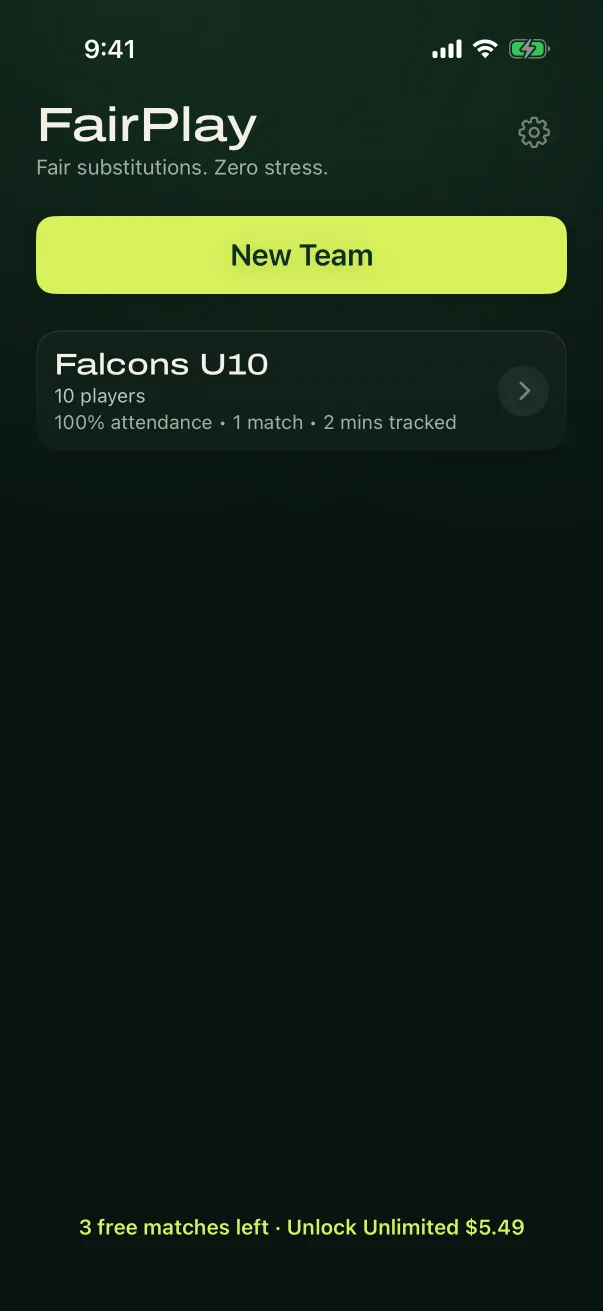
Your teams, ready
Pick a team, tap New Game, and you are on your way. Three matches are free.
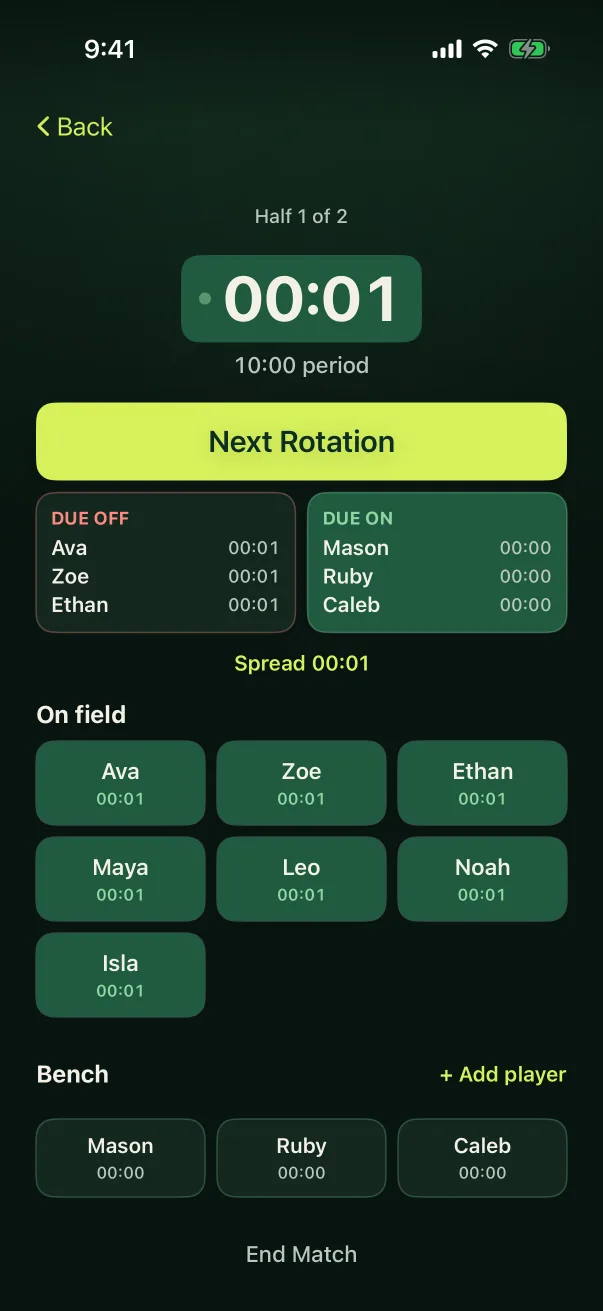
Everyone’s minutes, visible
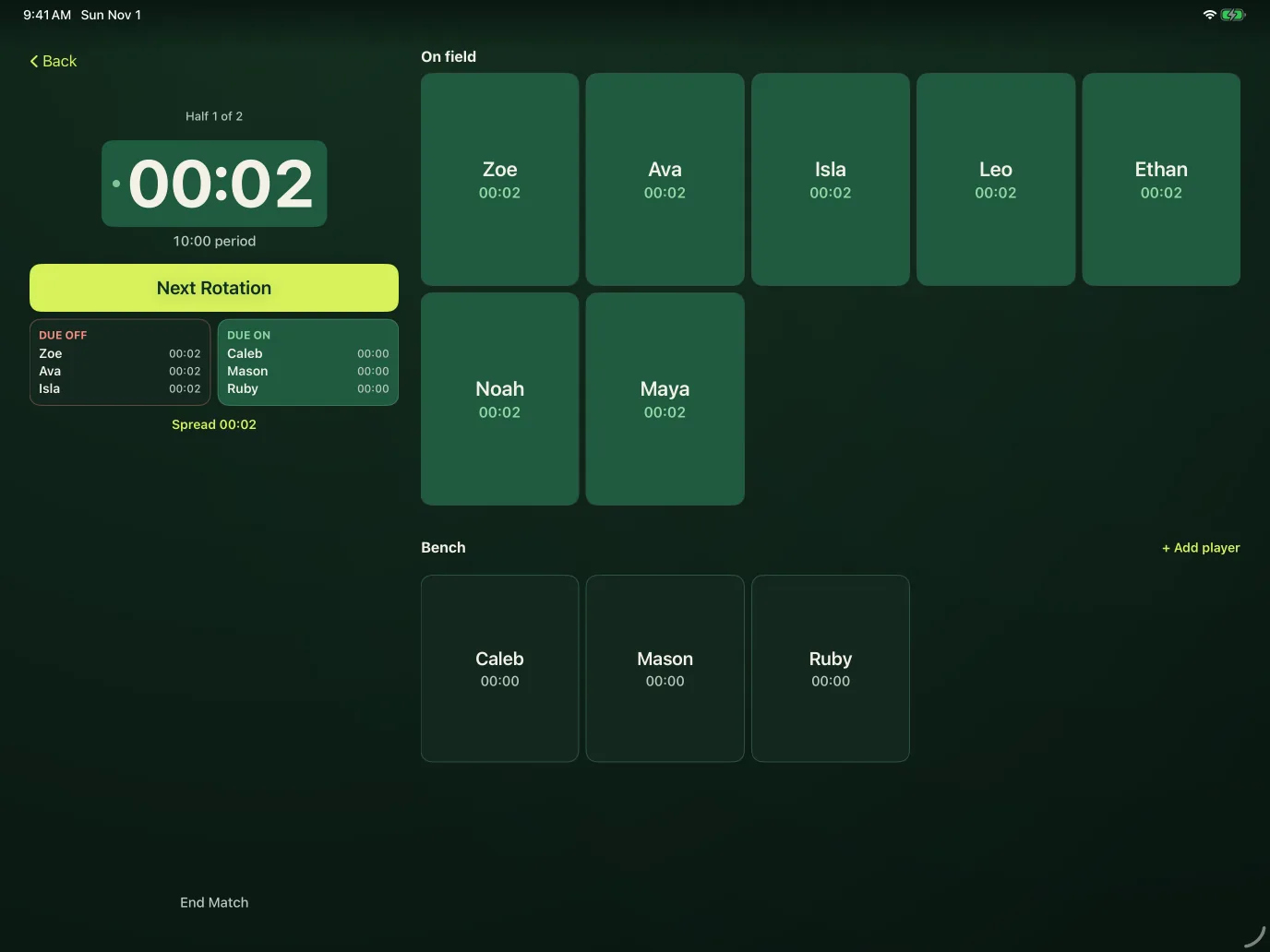
Field and bench time side by side, with the next rotation always one tap away.
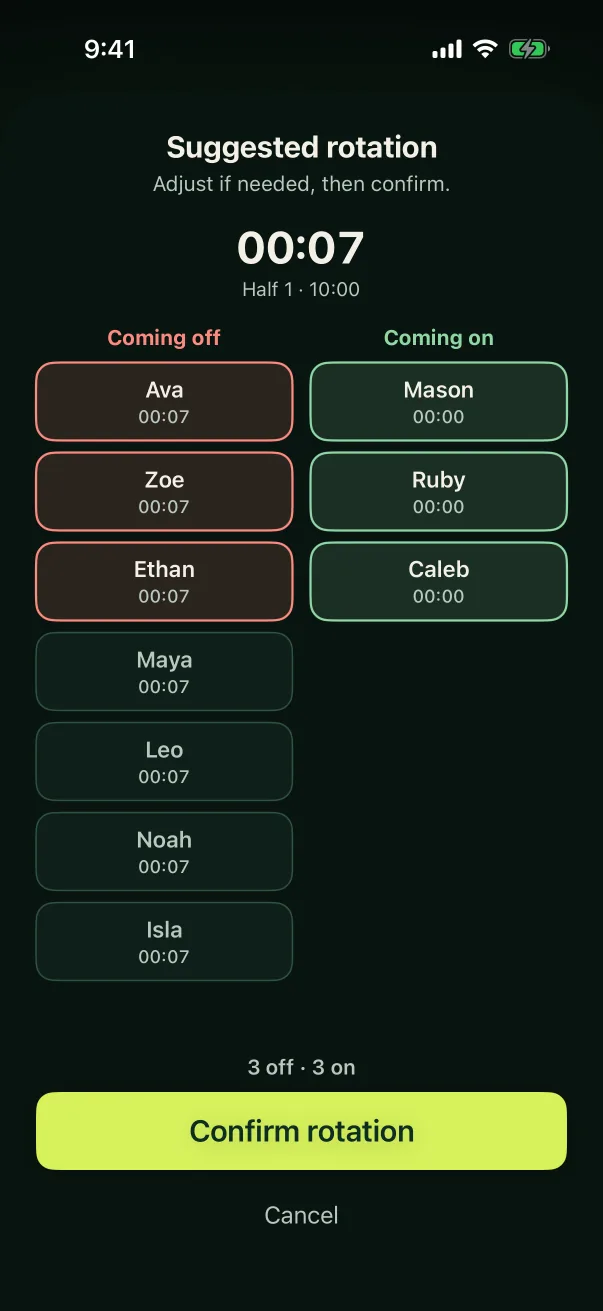
One tap per rotation
See who comes off and who goes on, adjust if you want, then confirm.
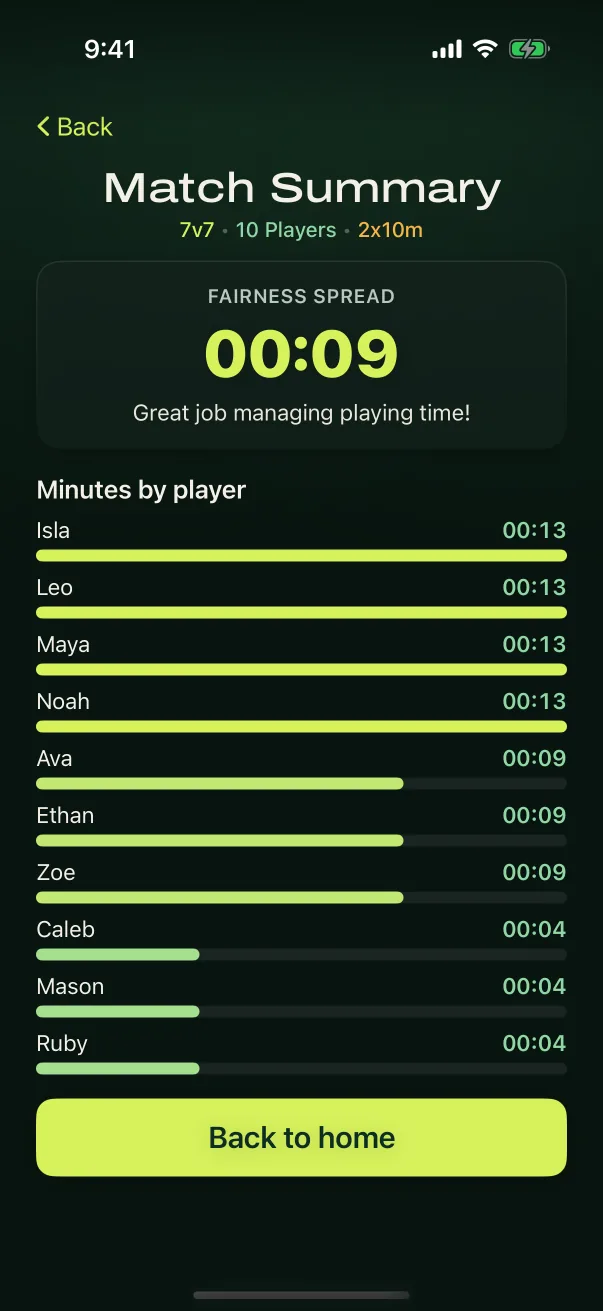
Minutes by player
Every player’s time at a glance, saved automatically at full time.
iPhone + iPad
One match. Two screens.
The phone in your hand, the iPad on the bench. Same team, same clock, same one tap, and the iPad gives every player a big tile and your whole squad in view.
Built for the touchline
Calm, opinionated and simple.
- 3v3
- 4v4
- 5v5
- 7v7
- 9v9
- 11v11
In halves or quarters, at any period length.
Fair by default
Rotations balance minutes across the squad, so the same kids are not on the bench every week.
Late arrivals and early leavers
Adjust availability mid-game: late arrival, early leave, a short rest, back from rest. The rotation adapts.
Works with no signal
Offline-first. Training grounds with no reception are fine, and nothing waits on a connection.
One hand, eyes up
Big targets and one clear next action, because you are watching the game, not the phone.
Your call, always
Every recommendation can be overridden before it is applied. FairPlay suggests; you decide.
Goalkeepers and undo
Full-time or half-time keeper options, with keeper minutes tracked alongside total time. Made a wrong tap? Undo it.
Questions
Before you download.
Is FairPlay free?
Your first three completed matches are free. After that, a one-time unlock ($5.49) removes the limit. There is no subscription.
Does it work without a signal?
Yes. FairPlay is built to work offline, so poor reception at the field does not matter.
Do I need an account?
No. There is nothing to sign up for. Your teams and players are kept on your device.
Which formats and match lengths does it cover?
3v3, 4v4, 5v5, 7v7, 9v9 and 11v11, played in halves or quarters, with the period length you choose.
What if a player turns up late or has to leave early?
Mark them in or out during the game and the next rotation adapts. You can also give a player a short rest and bring them back.
Can I change what FairPlay suggests?
Yes. Adjust who comes off and who goes on before you confirm. Nothing changes until you do, and you can undo a change afterwards.
Does it handle goalkeepers?
Yes. Choose a full-time or half-time keeper, and keeper minutes are tracked alongside each player’s total time.
Which devices does it run on?
iPhone and iPad. There is no Android version.
Game day only, on purpose.
FairPlay does one job on the sideline. For training sessions, drill diagrams and animated coaching points, that is PitchLabs, the same team’s planning tool for the rest of the week.
Open at kickoff. Close at the whistle.
On the App Store as “FairPlay Rotation”, from PitchLabs LLC.
Questions? Contact support. FairPlay’s privacy policy and terms.